
Features
よむ is designed around one loop: find Japanese in the wild, understand it quickly, and save the useful bits for study.
If you are new to these tools, the short version is: lookup means opening the popup, mining means saving something for later study, OCR means reading text from images, and subtitles means Japanese video lines become tappable like normal page text.
Popup Lookup And Mining
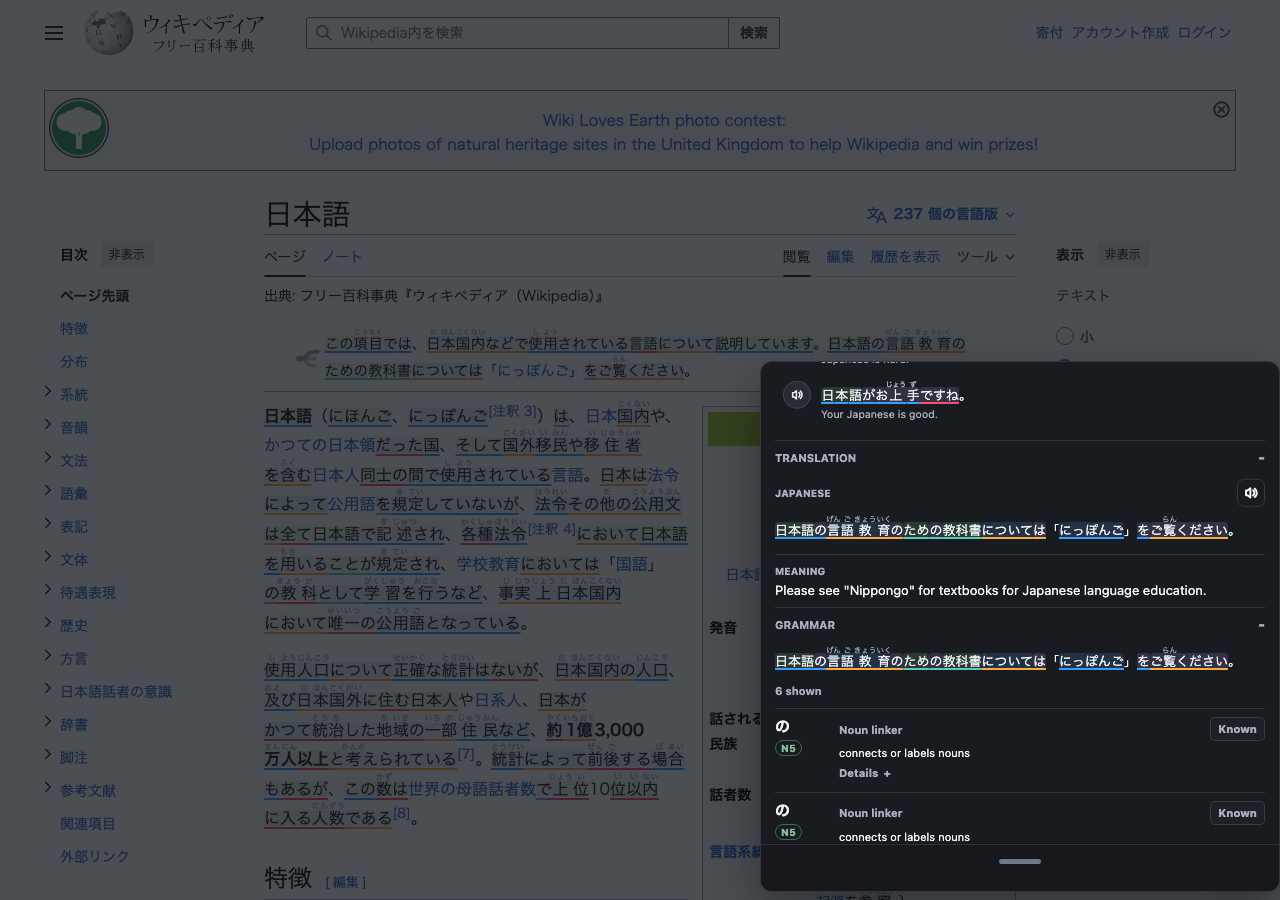
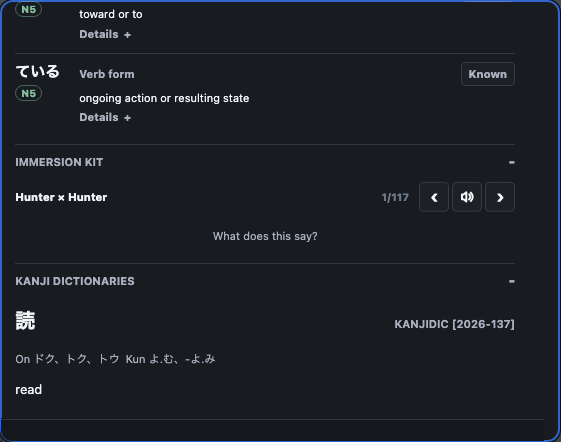
Tap, select, or hover Japanese text to open a popup. The popup can show JPDB definitions, imported local dictionary entries, pitch and frequency data, audio, example sentences, kanji details, and optional mining actions.
JPDB mining actions can add a word, mark it Never Forget, blacklist it, or send review grades, and can be turned off while keeping JPDB-powered popup lookup. When Anki is enabled, よむ can create a compact note with the word, reading, meaning, source sentence, JPDB link, local dictionary content, optional context images, and Immersion Kit audio. The word-first Anki front can hide the reading, sentence, or image if you want a stricter prompt.
Furigana and word colors are separate controls. You can show furigana only for harder kanji, show all parsed readings, hide furigana for known words, color words by JPDB/Anki state, color them by pitch accent, or turn highlight coloring off.
The popup also has optional study helpers for the current sentence. The translation tool generates a plain sentence translation when you open that section, and the grammar tool highlights likely grammar patterns with short explanations and guide links. These tools are meant to help you keep reading, not to replace a dictionary or grammar textbook.
Yomitan Dictionaries
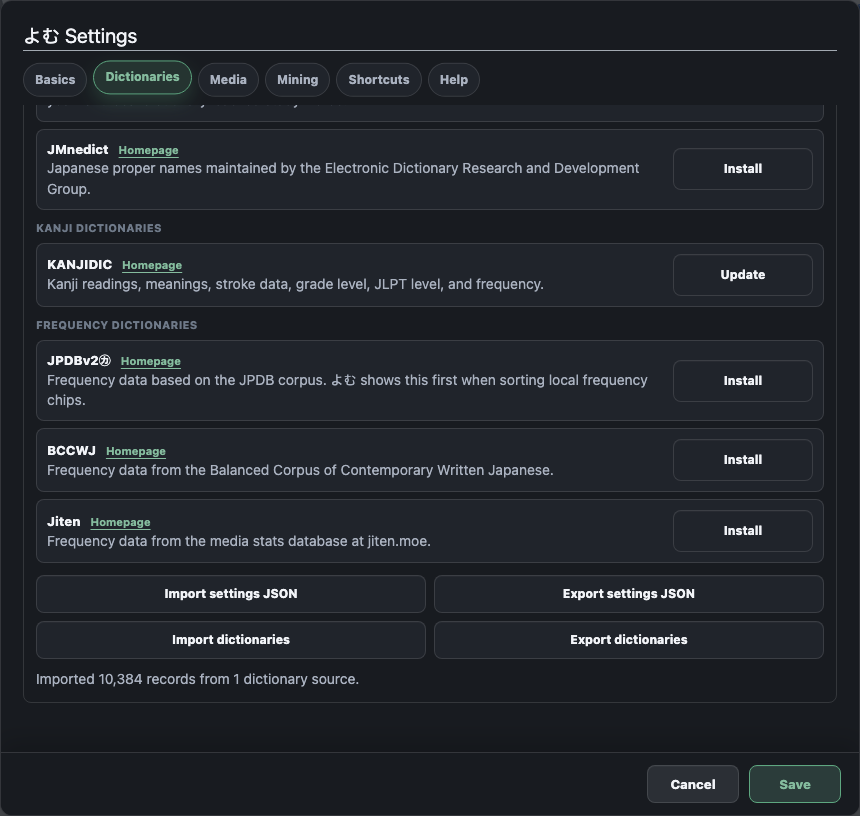
よむ can import Yomitan dictionary ZIP files, Yomitan settings exports, and dictionary backups. Imported dictionaries stay local in your browser. If you do not have JPDB or Anki connected, よむ can still use local dictionary words for the new-tab study page after you download JMdict or import a Yomitan ZIP in Settings.
This is useful if you want native-language dictionaries, monolingual Japanese definitions, frequency dictionaries, kanji dictionaries, or pitch dictionaries without depending on a remote service for every lookup.
Audio And Examples
The speaker button tries your configured audio sources in order. The default setup uses public Japanese audio sources, JPDB word audio, and browser text-to-speech as fallbacks. If you already use a Yomitan-style audio source, you can add it as a custom URL.
Example sentences can come from JPDB's public example rows, Immersion Kit without an API key, or Nadeshiko when you add your own Nadeshiko key. You can also use Immersion Kit + Nadeshiko together; よむ blends the results in a stable order so the same word does not reshuffle every time you open it.
Examples can show Japanese, translations, thumbnails, audio, and source filters. Settings let you choose categories, length limits, image visibility, translation visibility, playback speed, and one-time hover audio on desktop. If you want to practice without seeing English immediately, turn on blurred example translations and reveal them by tapping or clicking the translation.
Kanji Drilldown
Click a kanji inside the popup headword to open a focused kanji panel. Depending on your settings and imported data, it can show JPDB facts, stroke count, grade, JLPT level, RTK data, related words, component hints, KanjiVG stroke tracing, and a small drawing pad.
Kanji origin sources are modular and license-aware. You can turn off optional public sources independently.
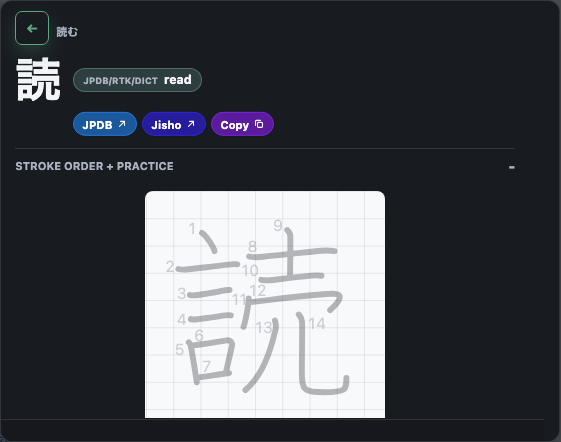
Image And Manga OCR
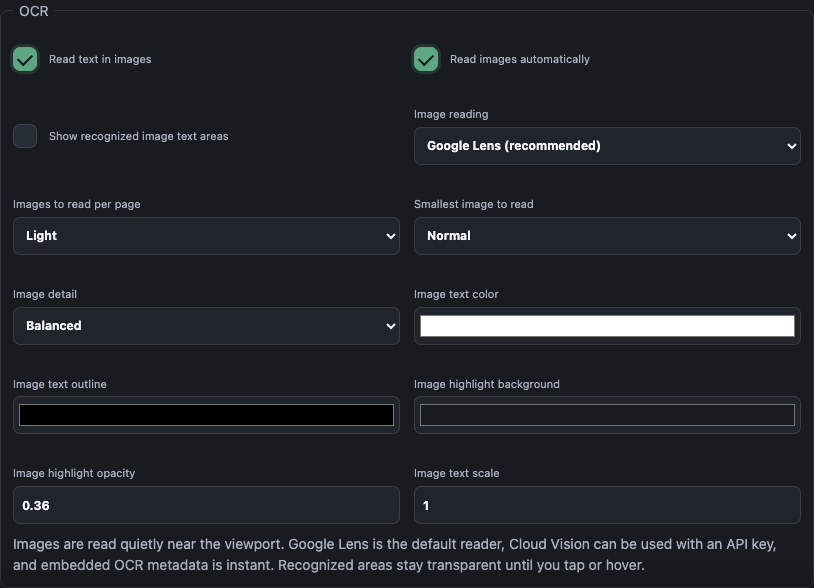
OCR lets you tap Japanese text inside images. よむ can use embedded OCR metadata when a site provides it, or a local OCR app/server for engines such as MangaOCR, PaddleOCR, Apple Vision style results, and YomiNinja-shaped responses.
Recognized text stays lightweight: touch targets sit over the image without covering it until you tap or hover.
Use this for manga panels, screenshots, and image-heavy pages where normal text selection does not work. The image itself is not sent anywhere unless you enable a local OCR endpoint, and that endpoint is the one you configure in settings.
Video Subtitle Mining
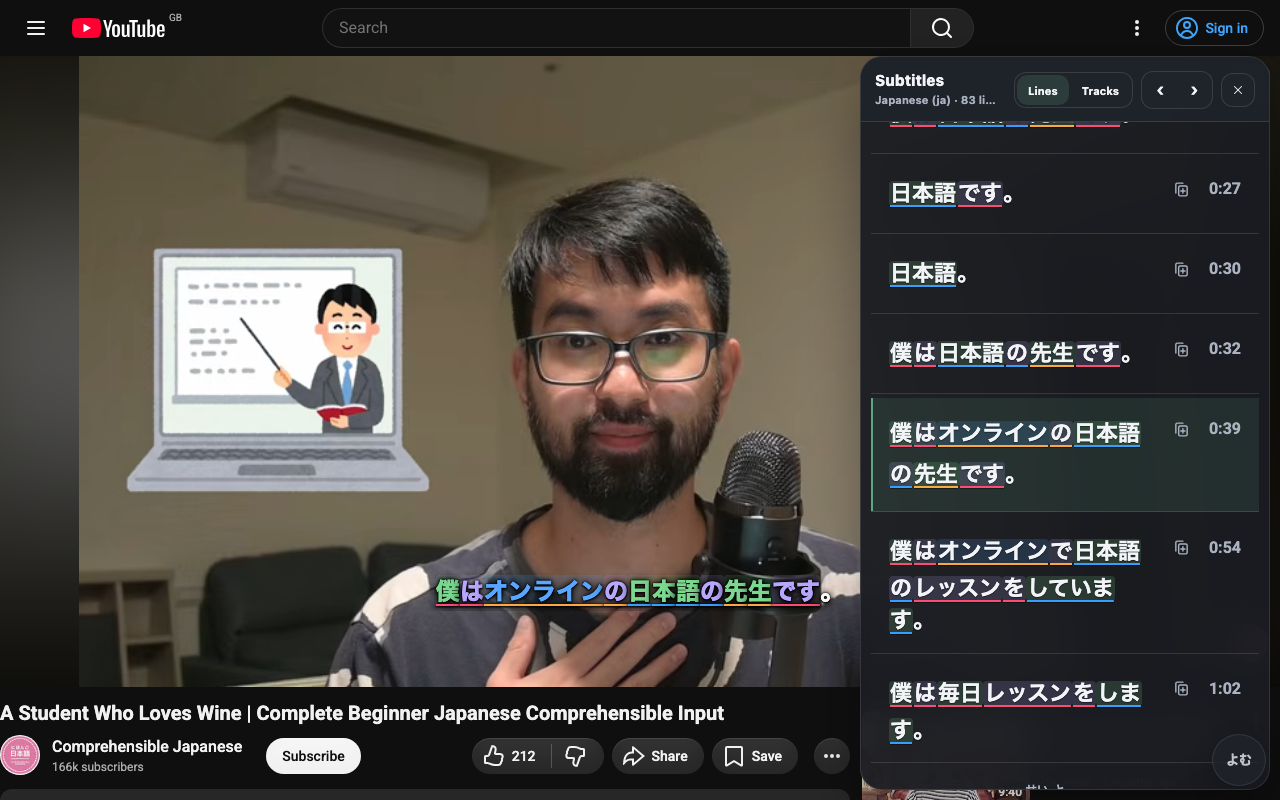
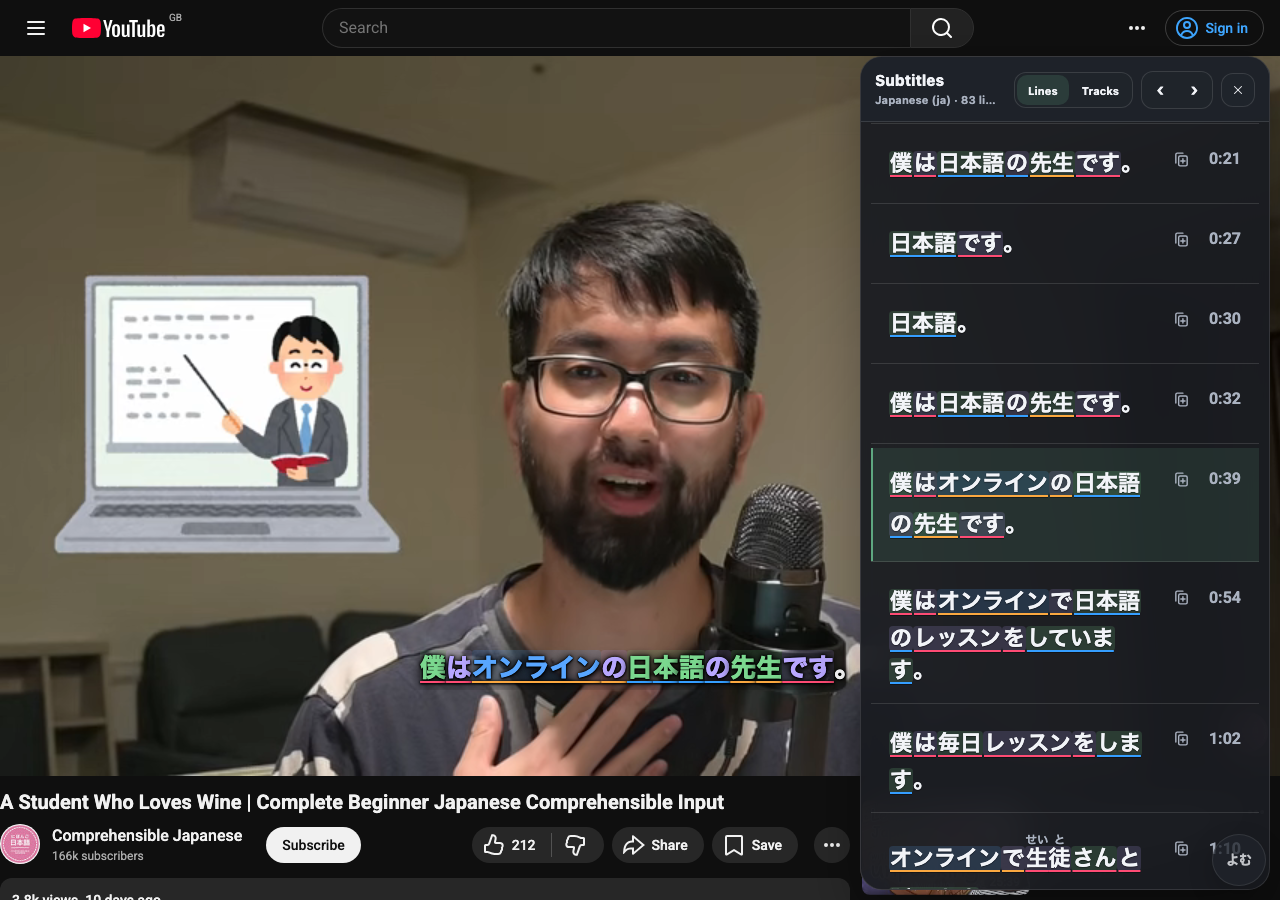
よむ can add an ASB-style subtitle overlay for video pages. Japanese subtitles can be parsed into tappable words, native-language subtitle tracks can be shown as a secondary line, and the transcript panel can sit left, right, or below the video with the active line highlighted while you read.
The transcript is meant to work as a reading surface too: visible Japanese lines are hydrated into the same lookup words as the overlay, so you can skim, jump to a line, and open a popup without leaving the video.
For local files, open the Yomu video player, drop in a browser-supported video, and add Japanese or native subtitle files. The page creates normal browser video and text tracks, so the same overlay and transcript tools work without a desktop bridge.
You can use shortcuts for previous subtitle, next subtitle, copy subtitle, and mining. The transcript panel is off by default and can be opened from the subtitle controls or overflow menu. On phones it becomes a bottom panel so the video stays usable.
YouTube Immersion Filter
YouTube can be distracting when you are trying to stay in Japanese. The optional YouTube mode hides video cards that do not look Japanese, while keeping YouTube controls, subtitles, and よむ UI usable. It is off by default.
When the filter hides something, よむ keeps escape hatches visible: use Show anyway for one item, Turn off to disable the filter, or Alt+Y to toggle it quickly. Test it on real YouTube pages before relying on it because YouTube changes its layout often.
Anki And Mobile Handoff
Anki support is optional. On desktop, open Anki with the AnkiConnect add-on installed, then よむ can create or update cards from popup lookups, subtitles, and OCR. On iPhone, iPad, and Android, よむ uses a mobile handoff when direct AnkiConnect is not available.
If you do not use Anki, leave it off. JPDB mining and local dictionary lookup still work without it.
New Tab Study Page
よむ includes an optional new-tab page at:
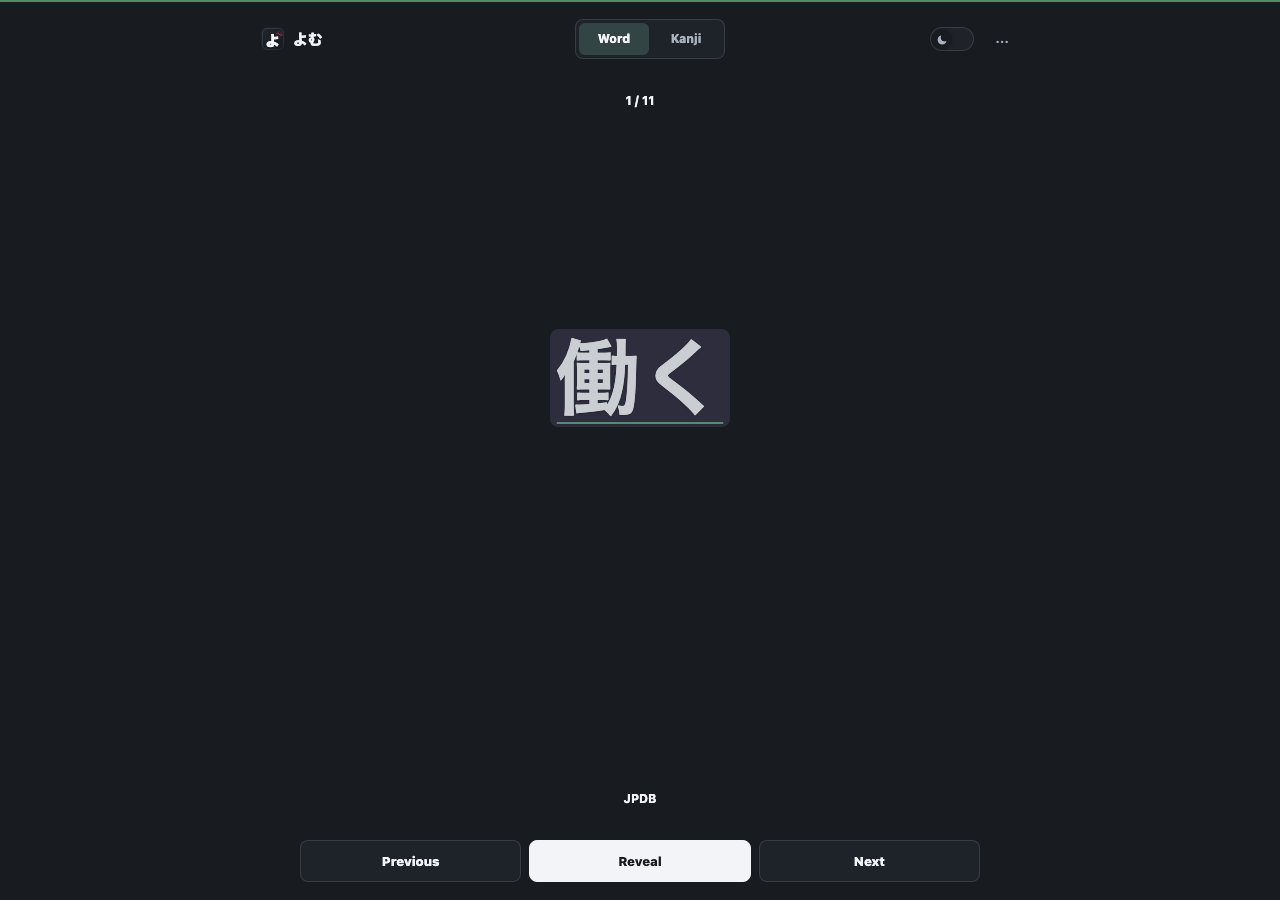
https://hrussellzfac023.github.io/yomu-reader/newtab/Use that URL as a browser home page, new-tab page, or iPad Home Screen shortcut. It uses your accent color and tries study words from Anki first, then JPDB, then local dictionary words. A new install starts by sending you to Settings > Dictionaries so JMdict or another Yomitan ZIP can be downloaded into local browser storage.
On the hosted page, the installed よむ userscript can bridge local AnkiConnect requests. Browsers that allow direct local requests without the bridge also need https://hrussellzfac023.github.io in AnkiConnect's webCorsOriginList.
On iPhone and iPad, this is often the easiest daily-review surface because it avoids desktop-only bridges. If AnkiConnect or JPDB is not available, dictionary-backed words keep the page useful once a dictionary is installed.
Help And Support In Settings
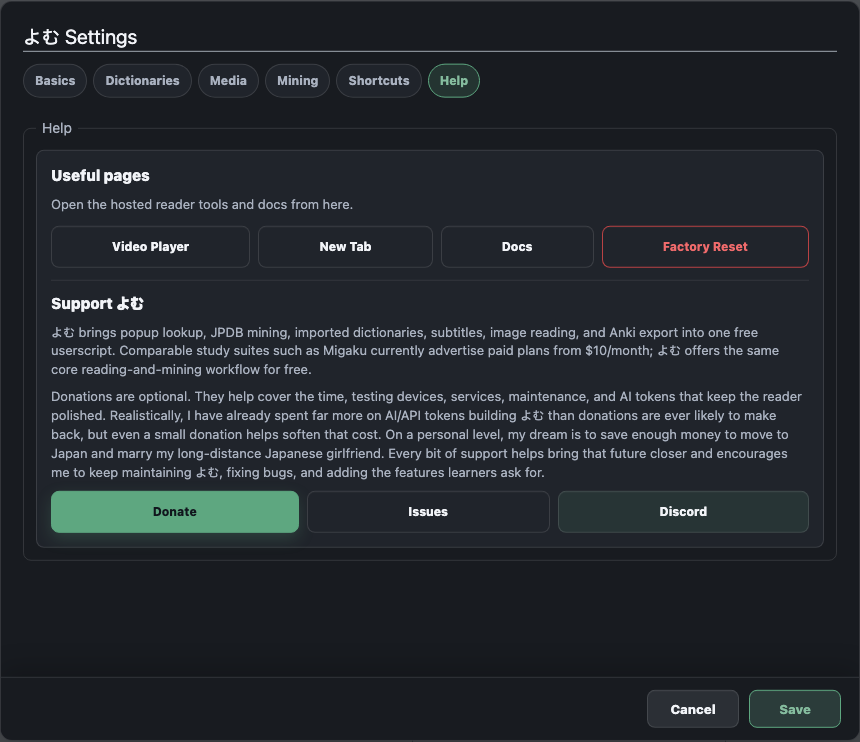
The Help tab includes quick links to the hosted tools and docs, GitHub issues, Discord, donation support, and a Factory Reset action that clears よむ settings, API keys, cached data, and imported dictionaries back to defaults.
Privacy And Control
Most features are optional modules. Imported dictionaries stay in browser storage. JPDB requests happen when you use JPDB lookup, parsing, mining, review, or kanji details. Example providers receive the looked-up term only when their examples are enabled. Local OCR sends image data only to the endpoint you configure. Anki mining talks to your AnkiConnect endpoint or mobile handoff.
If you want a simpler setup, start with the userscript, JPDB, and one local dictionary. Add OCR, subtitles, audio, and Anki later.